Who's Working
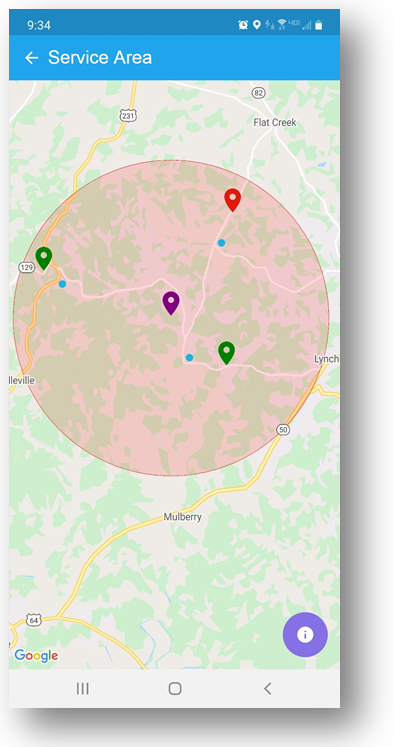
Who's Working allows users to view a map of the service areas with markers for service locations and employees.
To use Who's Working:
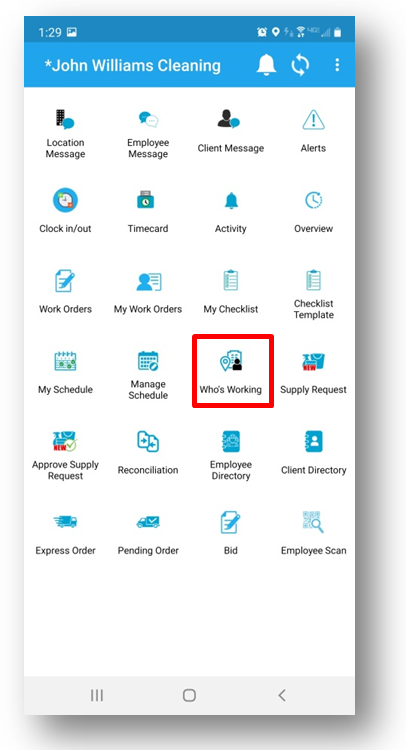
- Login to JM Connect
- Click the Who's Working icon
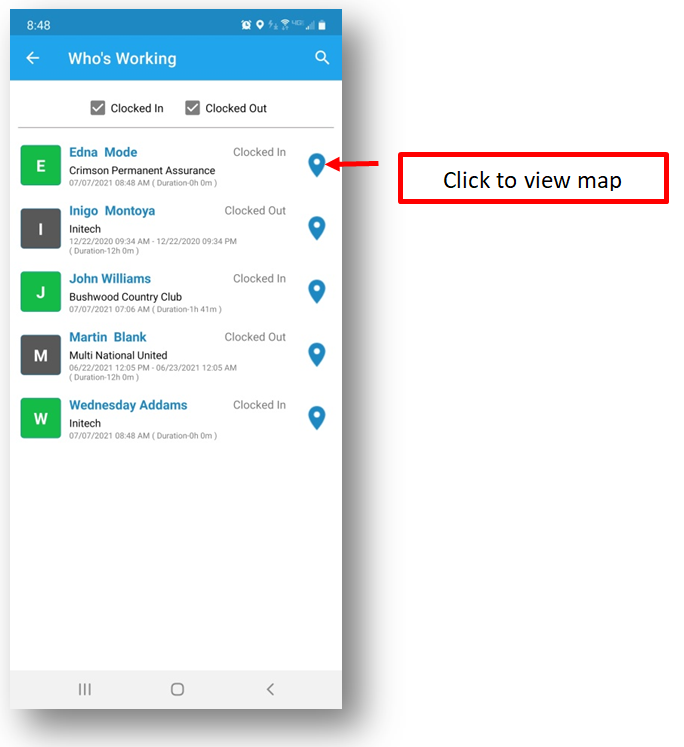
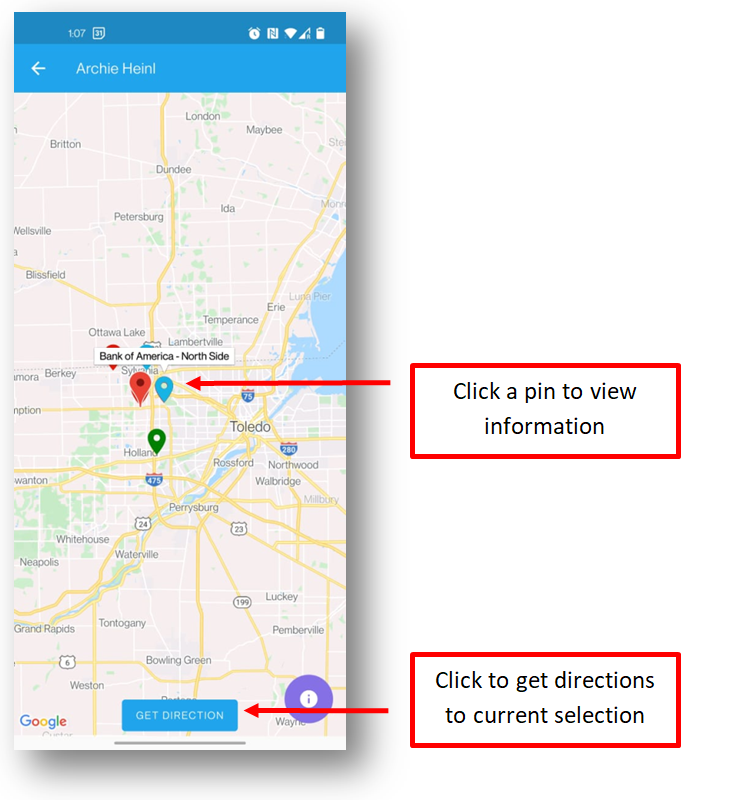
- Click the blue pin icon to view the map
- The following are displayed:
-
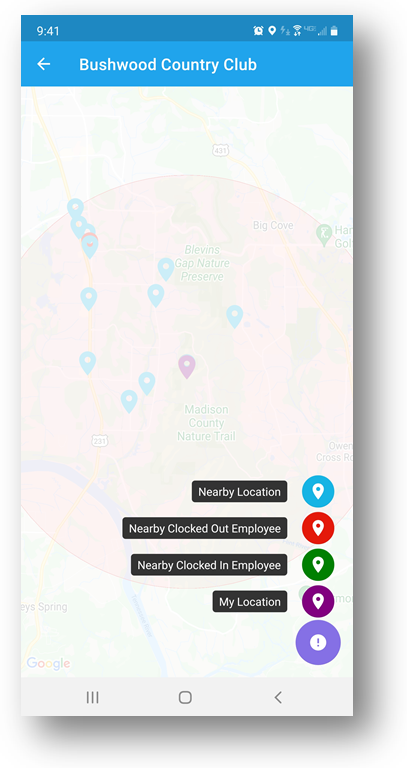
- Nearby Locations
- Nearby Clocked Out Employee
- Nearby Clocked In Employees
- My Location (User's current location)
-
- Click the purple button to view the tab
- Click on a pin to view the information
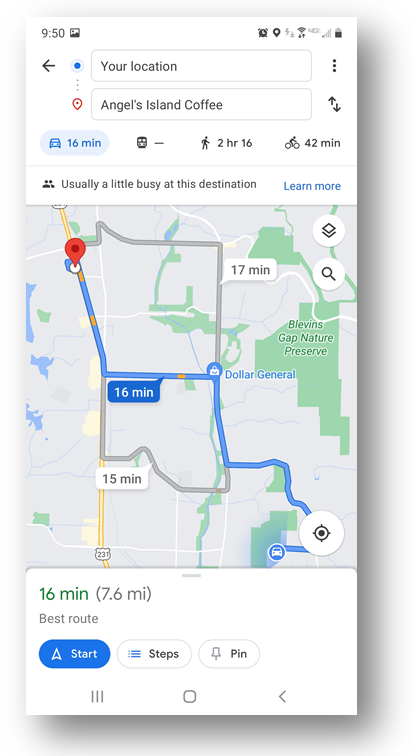
- Click the Directions button to view directions from your current location to the selected location
- Directions will open in your devices native mapping app
Clock in an Employee:
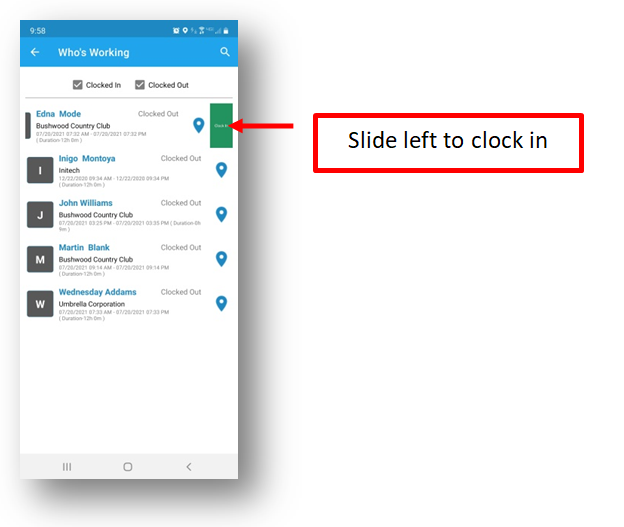
- Find the desired Employee in the list
- Slide left on the Employee line
- Click Clock In
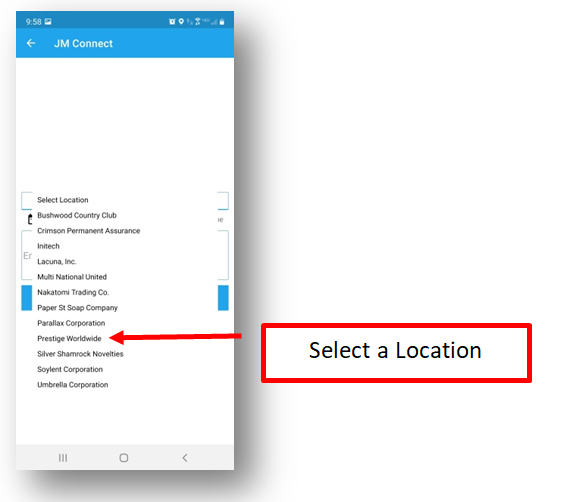
- The Clock In view is displayed
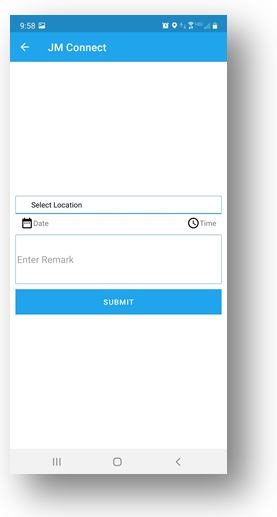
- Select a Location from the drop down
- Select a data and time
- Optional enter notes
- Click Submit
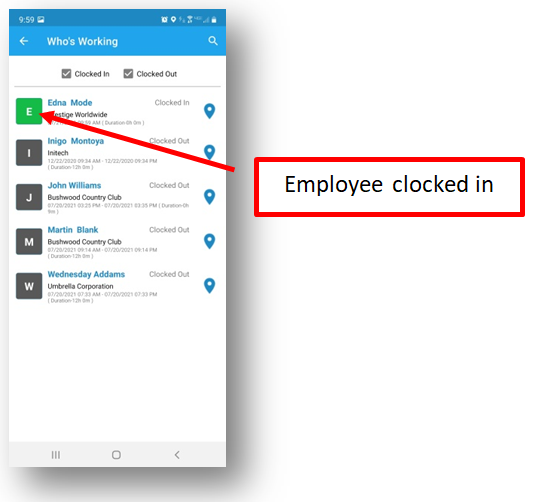
- The Employee is shown as clocked in
For more information, or to send in a request to the Janitorial Manager support department, use the red 'Help' button in the bottom right corner of any Help Desk article.
Comments
0 comments
Please sign in to leave a comment.