Can I Replace an Inspector on All Scheduled Inspections?
Yes, you can change the inspector on all Scheduled inspections. You cannot change the inspector on any InProgress or Completed inspections.
- Navigate to Inspections > Manage Inspections
- Adjust the filters on the list to narrow down which inspections you want to update.

- On the far right, hover over Inspection Tools and select Update Inspectors

- Select a new Inspector from the dropdown and click Save.
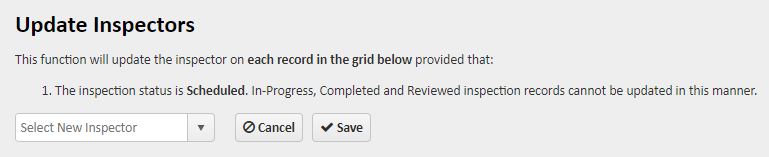
- All Scheduled Inspections will now reflect the new Inspector's name.
For more information, or to send in a request to the Janitorial Manager support department, use the red 'Help' button in the bottom right corner of any Help Desk article.
Comments
0 comments
Please sign in to leave a comment.