Inspectors/Clients/Templates/Inspections Missing on the App
If you added new information on the web portal, and it is missing from your list of Inspectors, Clients, Templates, or Inspections on the Janitorial Manager App, you will need to do a Data Sync.
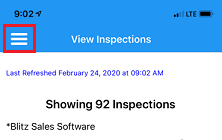
Navigate to the 3 horizontal lines in the top left corner of the Janitorial Manager App
Select Data Sync

Sync any or all options presented to get the most up to date information from the web portal

For more information, or to send in a request to the Janitorial Manager support department, use the red 'Help' button in the bottom right corner of any Help Desk article.
Comments
0 comments
Please sign in to leave a comment.